
Best Industrial Touch Display Manufacturers in China

Choosing an Industrial Touch Display manufacturer in China involves more than comparing screen sizes and quoted prices. Buyers must consider how the display will perform in its actual environment. A factory control panel may face dust, vibration, frequent cleaning, or long operating hours. A kiosk used indoors may have different needs. The right supplier should understand these conditions and explain how its products are tested. Clear answers matter.

This guide introduces key factors for evaluating Chinese manufacturers, including display brightness, touch technology, interface options, enclosure design, customization, and production support. It also highlights practical questions about sample evaluation, quality checks, lead times, and after-sales service. Details matter. Ask whether a proposed model has been tested under conditions similar to your application, and request relevant specifications rather than relying on broad assurances. Review communication quality, too: slow or unclear responses can complicate a project later. No single supplier is ideal for every use case. Even a strong product may need adjustments, and that is worth acknowledging early. The aim is not to crown a universal winner, but to help readers compare manufacturers with evidence, technical fit, and realistic expectations.
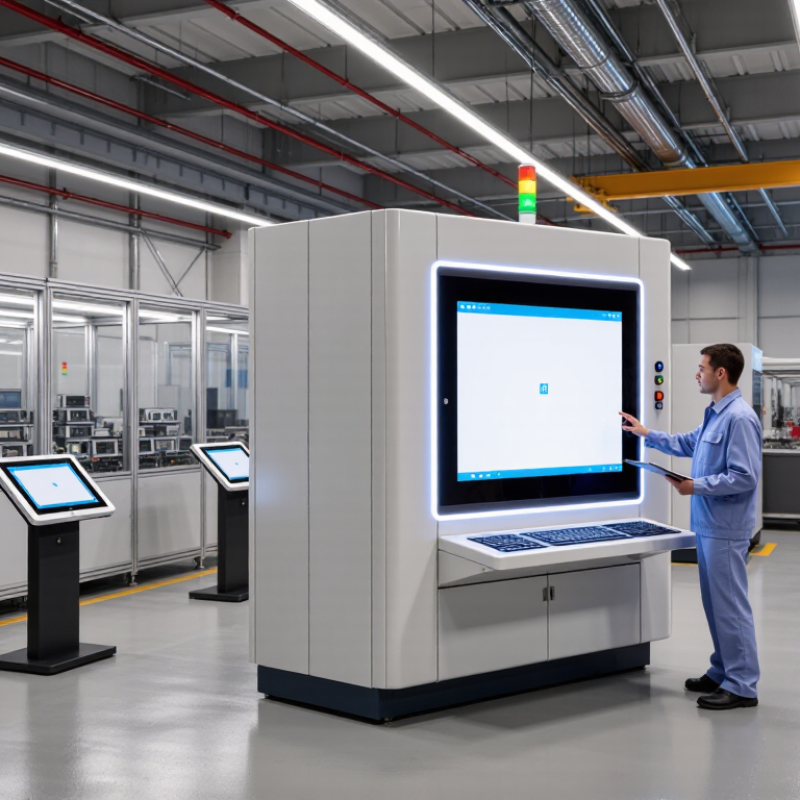
Best Industrial Touch Display Manufacturers in China

What Industrial Touch Displays Are and How They Work

Best Industrial Touch Display Manufacturers in China

What Industrial Touch Displays Are and How They Work

An industrial touch display combines a screen with a touch sensor, letting operators view information and control equipment directly. Unlike a typical office monitor, it is designed for demanding settings such as production lines, kiosks, and vehicle cabins. The terminology can be messy. A useful distinction is whether the touch layer uses projected capacitive sensing or resistive sensing. Capacitive panels detect changes in an electrical field and often support multi-touch. Resistive panels register pressure, so they can work with a gloved finger or a stylus.

When a user touches the glass, the sensor sends a signal to a controller. The controller estimates the touch location and passes coordinates to the connected computer or embedded system. That system then responds, perhaps by opening a control screen or changing a machine setting. Simple enough.

Performance depends on more than the panel itself. Brightness affects readability near windows, while sealing helps limit dust or moisture entry. Temperature range, glove compatibility, and resistance to electrical interference also matter. For buyers comparing Chinese manufacturers, ask for test conditions and interface details, not just a headline specification. A bright panel may still reflect overhead lights. That detail is easy to miss. Real installation conditions can expose gaps that a datasheet does not show, so sample testing is worthwhile.

Key Criteria for Evaluating Manufacturers in China

Evaluating industrial touch display manufacturers in China starts with the conditions the screen must handle. Specify operating temperature, sunlight exposure, vibration, and whether users wear gloves. Ask for the touch technology, brightness, and ingress protection rating, then compare these details with your actual installation. A bright showroom sample proves little.

Request drawings, test reports, component specifications, and a clear revision history. Confirm how the manufacturer checks touch accuracy, display uniformity, and performance after repeated use. Ask to test a sample with your enclosure, cables, and operating software. Small changes in mounting depth can affect fit. Review production controls, traceability, and how defects are handled. A site audit may help, but it cannot replace testing.

Communication is part of the evaluation. Check whether technical answers are specific, consistent, and documented in writing. Discuss tooling ownership, minimum order quantities, lead times, spare parts, and repair support before approving a design. Compare quoted specifications line by line; similar wording can hide different test conditions. No checklist catches everything. A common weakness is judging suppliers by samples alone, so leave room for follow-up checks during production.

Profiles of Notable Industrial Touch Display Manufacturers

China’s industrial touch-display sector includes manufacturers with different strengths, rather than one universal leader. Some specialize in rugged open-frame panels for machinery builders. Others produce sealed monitors for production lines, kiosks, or outdoor control cabinets. A useful profile looks beyond screen size. Check operating-temperature limits, glove-touch performance, interface options, and vibration-test records. Ask how brightness and touch accuracy are checked over time. Details matter.

Manufacturers with integration teams may adapt enclosures, cables, or firmware to fit a specific machine. Smaller specialist suppliers may offer more direct communication, though their documentation or replacement-part plans may need closer review. Request a sample, mechanical drawings, and test reports before approving a design. Compare repair procedures and expected product availability, too. A polished sample is encouraging, but it cannot prove long-term reliability.

Tips: Test the display under real lighting and with the gloves operators actually wear. Confirm connector placement inside your cabinet. Keep written records of test conditions and agreed specifications. Small oversights can become costly.

Common Products, Technologies, and Industry Applications

China’s industrial display manufacturers commonly produce panel monitors, embedded panel PCs, and open-frame touch screens. Panel monitors connect to existing controllers, while panel PCs combine display and computing hardware. Open-frame models fit into machine doors, kiosks, or custom enclosures. Small details matter. A 15.6-inch screen may suit a packaging line, but its bezel depth could make it difficult to install in a narrow cabinet.

Projected capacitive touch is common for smooth glass and multi-touch operation. Resistive touch remains useful when operators wear thick gloves or use a stylus. Optical bonding can reduce internal reflections, while high-brightness panels improve visibility near sunlit loading bays. For wet or dusty settings, check the complete assembly’s sealing, not just the front panel. Touch performance varies. Water droplets, electrical noise, and glove materials can affect response, so testing with actual equipment is more reliable than relying on a specification sheet.

These displays appear on CNC machines, food-processing lines, warehouse terminals, and outdoor ticketing equipment. Typical interfaces include HDMI, DisplayPort, USB, and serial connections, though options vary by model. Confirm operating temperature, mounting pattern, brightness, and replacement-part availability before ordering. A sample unit helps. It can reveal awkward menu placement or glare that a catalog photo hides. A recessed bezel can also collect residue along its lower edge, even when the screen surface wipes clean.

Typical Brightness Ranges for Industrial Touch Displays

Typical design guidance: indoor panels commonly use 250–500 cd/m², semi-outdoor panels 500–1,000 cd/m², and sunlight-readable outdoor panels 1,000–2,500 cd/m². Actual requirements vary with ambient light, cover glass, and installation conditions.

How to Choose a Suitable Chinese Manufacturer

Choosing a Chinese industrial touch display manufacturer requires more than comparing prices. Match the display to its working environment: a sunlit factory floor needs strong brightness, while a washdown area calls for suitable enclosure protection. Ask for the exact panel model, operating-temperature range, touch technology, and interface options. Small details matter. Request test records for brightness, touch response, and burn-in performance, not just a specification sheet.

MarketsandMarkets estimated the global industrial display market at USD 6.2 billion in 2023, forecasting USD 8.6 billion by 2028. That growth suggests a broad supplier base, but not consistent quality. Check whether the factory controls assembly and inspection itself, and ask how it handles component substitutions. Confirm the enclosure’s ingress-protection rating against IEC 60529, then verify the finished unit matches the stated rating. A sample tested in your actual lighting and glove conditions can reveal problems a datasheet misses.

Tips: Request a sample and a written acceptance checklist before placing a volume order. Compare the quoted lead time with the supplier’s production schedule, and clarify warranty coverage, spare-part availability, and response times. If a supplier cannot explain a failed touch test plainly, pause and investigate.

Best Industrial Touch Display Manufacturers in China - How to Choose a Suitable Chinese Manufacturer
Evaluation Dimension Practical Selection Benchmark What to Verify Why It Matters
Display size and resolution Choose the screen size and resolution to suit the viewing distance, interface layout, and available panel space. Common industrial formats range from compact displays to large control-panel screens. Request the panel’s native resolution, active display area, viewing-angle information, and a drawing showing the overall dimensions and mounting points. A suitable resolution and physical format help keep text legible and ensure the display fits the equipment enclosure.
Brightness and readability Set the required brightness according to ambient lighting. For use near windows or outdoors, assess readability under the actual lighting conditions rather than relying on a brightness figure alone. Check the specified brightness in cd/m², surface treatment, contrast information, and whether the supplier can provide a sample for an application-specific visibility test. Lighting, reflections, viewing angle, and cover glass all affect readability in the installed environment.
Touch technology Projected capacitive (PCAP) touch is commonly used for multi-touch operation; resistive touch may suit applications requiring operation with gloves or a stylus. Suitability depends on the use case and configuration. Test the intended gloves, stylus, water exposure, and operating conditions. Confirm controller settings and the supported number of touch points. Touch performance can vary with gloves, moisture, electrical noise, and the display’s cover glass.
Environmental protection Specify the protection needed for the display’s exposed front surface and the assembled enclosure. IP ratings are defined by IEC 60529; the required rating depends on installation and exposure. Ask for the exact test report or certificate, the tested configuration, and clarification of whether the rating applies to the front panel or the complete product. A rating for one configuration or surface should not be assumed to apply to the entire installed assembly.
Operating temperature Match the rated operating-temperature range to the temperatures expected at the display, including heat generated inside the enclosure. Review the datasheet’s operating and storage ranges, and request test details for the proposed panel, touch system, and controller combination. Temperature limits can differ between components and may affect brightness, touch response, and service life.
Mechanical durability Define the required resistance to vibration, impact, and repeated operation based on the equipment and installation environment. IK ratings, where applicable, are defined by IEC 62262. Request test methods and results for the assembled display, mounting method, and cover glass—not just individual components. Mechanical performance depends on the complete assembly and how it is installed.
Interfaces and integration Confirm compatibility with the host system, including video input, touch interface, power requirements, and mounting arrangement. Check connector types, pinouts, supported signals, cable lengths, power specifications, driver requirements, and mechanical drawings. Early verification can reduce integration delays and avoid custom changes late in the project.
Customization capability Clarify whether the supplier can support the required cover glass, bonding, touch settings, housing, cable, or other project-specific options. Request a written specification, sample approval process, revision-control method, and confirmation of which changes affect tooling or lead time. Clear control of customized parts helps keep samples and production units consistent.
Quality management and traceability Look for a documented quality system appropriate to the product and production process. ISO 9001 certification concerns a quality management system; it does not by itself certify product performance. Verify certificate scope and validity, incoming and final inspection records, lot traceability, and the process for handling nonconforming products. Documented controls make manufacturing quality and corrective actions easier to assess.
Testing and product validation Agree on application-relevant acceptance tests before placing a production order. Request test plans or reports for functions such as touch operation, display performance, environmental conditions, and any required regulatory compliance. Testing against agreed requirements provides stronger evidence than general claims or an unverified specification sheet.
Production capacity and lead time Assess the supplier’s ability to meet forecast volumes, sample milestones, and replenishment schedules. Ask for a realistic sample and production schedule, stated capacity assumptions, order quantity requirements, and a process for communicating delays. Reliable planning matters for both product launches and ongoing supply.
Warranty and after-sales support Agree on warranty duration, coverage, return procedures, and technical-support expectations before ordering. Review the written warranty terms, repair or replacement process, response channels, and availability of replacement units or components. Clear support terms help manage service needs throughout the product’s operating life.