What Is the Best Small TFT Display in 2026?
Choosing the best Small Tft Display in 2026 depends less on a headline resolution than on where and how the screen will be used. A handheld instrument needs clear text, steady viewing angles, and a backlight that remains readable under bright room lighting. A compact controller may prioritize low power use, touch response, or a dependable interface instead. Small details matter.
Display analyst Dr. Raymond Soneira is known for measurement-focused evaluations. A concise editorial paraphrase of that approach is: “Judge a display by its measured performance, not its headline specifications.” This is a paraphrase, not a verbatim quotation. It captures an important point: numbers such as brightness and resolution need context. A 2.4-inch panel with crisp icons may suit a sensor better than a denser screen that strains the budget or drains its battery.
This guide compares practical factors, including screen size, resolution, brightness, viewing angle, touch options, interface compatibility, and operating conditions. It also considers panel availability and integration effort, because a technically impressive module can still be awkward to fit into a real product. Pixels are only part. No single model is best for every project, and specifications can look better on paper than they feel in use. The recommendations ahead aim to make those trade-offs visible, so buyers can match a small TFT to the device, not just the datasheet.
What Defines a Small TFT Display in 2026?
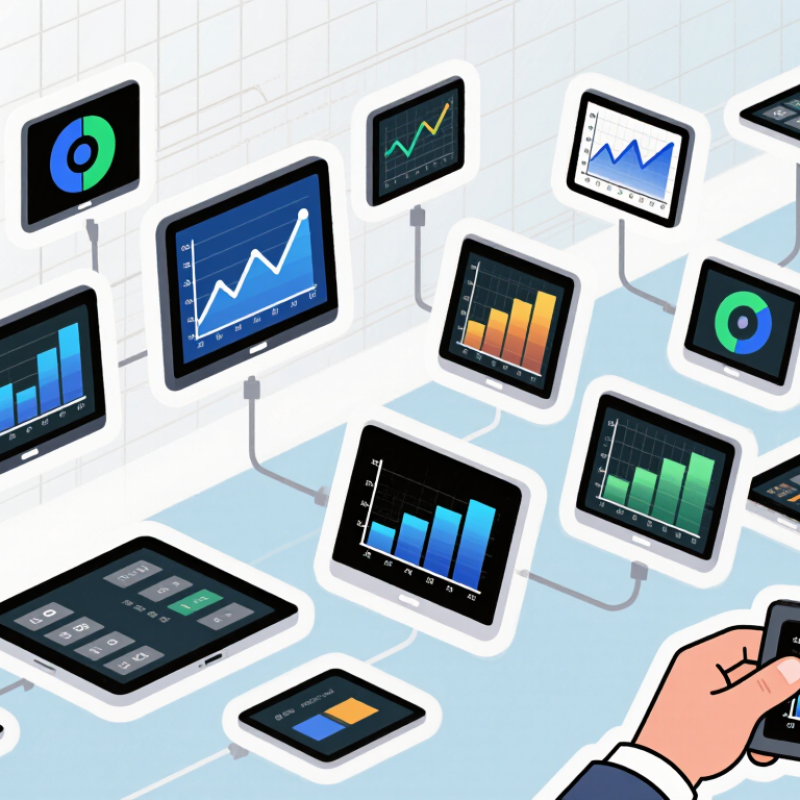
In 2026, “small TFT display” still has no universal size boundary. In practical product design, it often means a color active-matrix LCD roughly 1 to 4 inches diagonally. Compact instruments may use panels near 5 inches. Size alone is misleading. A 2.4-inch screen can feel spacious on a handheld meter, but cramped inside a wearable. Viewing distance, bezel width, and the amount of information matter as much as diagonal measurement. Pixels are not everything. At arm’s length, clear text and sensible contrast may matter more than a dense specification sheet.
A useful definition includes the display’s job, not just its dimensions. For a small control panel, check whether icons remain legible, touch targets are easy to press, and the viewing angle suits the enclosure. Brightness needs depend on use: an indoor appliance and an outdoor instrument face different conditions. Also compare resolution, interface, power demand, and operating temperature in the panel’s datasheet. These details can change the design more than an extra fraction of an inch. A higher pixel count may look impressive, yet add cost or power without improving readability. I would still test a physical sample; printed specifications rarely reveal how crowded a real screen feels.
Which Specifications Matter Most When Comparing Small TFT Displays?
The best small TFT display in 2026 depends on the job, not the smallest pixel pitch. Compare resolution with viewing distance: a 2.4-inch screen used at arm’s length needs clear text, while a dashboard viewed farther away may not. Check brightness in nits, contrast, viewing angle, and touch response under real lighting. Omdia’s 2024 Display Long-Term Demand Forecast tracks demand by both panel area and unit shipments, a useful reminder that screen size alone can hide important differences. Numbers can mislead.
Power and interface matter just as much. A bright screen can drain a battery quickly, and an incompatible controller can add redesign time. Check the exact supply voltage, connector pinout, refresh rate, operating temperature, and whether the display remains readable off-axis. Ask for measured brightness and power figures from the same test conditions; otherwise, comparisons can be apples to oranges. Honestly, I would still test a sample in the actual enclosure, because a specification sheet cannot show every glare or cable-routing problem.
Tips: Set a fixed viewing distance and ambient light before comparing samples. Check in person. Then test the screen with your real content, including small labels and fast-moving graphics. If you are unsure, prioritize legibility and easy integration over a headline resolution figure.
How Do Display Size, Resolution, and Interface Affect Performance?
For a small TFT, physical size sets the viewing experience, while resolution sets how finely it can draw text and edges. A 2.4-inch screen at 320 × 240 has about 167 pixels per inch; at the same size, 480 × 320 reaches roughly 233. The denser panel can render smaller labels, but tiny text may still be hard to read at arm’s length.
Pixels add up. At 16 bits per pixel and 60 frames per second, 320 × 240 requires about 9.2 MB/s of raw image data; 480 × 320 needs about 18.4 MB/s. These estimates exclude timing and protocol overhead, so a tidy calculation can still mislead.
The interface must carry that data reliably. SPI is often sufficient for simple menus or slowly changing values, but its practical throughput depends on the controller, clock, and wiring. MIPI Alliance’s D-PHY 3.0 technical specification lists rates up to 4.5 Gbit/s per lane, making a high-speed serial interface more suitable for richer graphics.
That peak is not a guarantee of system performance. Check the panel’s supported lanes, host capability, and power budget together. A 480 × 320 panel may look like the obvious upgrade, yet a lower-resolution display can feel quicker and clearer when its font size, contrast, and update rate suit the task. I would still test the actual viewing distance; specifications cannot settle that.
Which Small TFT Displays Suit Common Applications?
Which Small TFT Displays Suit Common Applications?
The best small TFT display depends on viewing distance, lighting, and the information users need at a glance. For a handheld meter or compact controller, a 2.4–3.5-inch screen with 320 × 240 pixels can show clear readings without crowding the enclosure. A retail terminal may benefit from a 3.5–5-inch panel, especially when users tap icons or read prompts from different angles. Fit matters more.
For outdoor instruments, check brightness and optical bonding before choosing by resolution alone. A screen that looks crisp indoors can wash out beside a sunlit window. Industrial controls also need viewing angles and touch performance tested with gloves, not just a favorable specification sheet. There is no perfect panel. Power use, interface type, and operating temperature can change the best choice.
IDC reported 1.24 billion smartphone shipments worldwide in 2024, a 6.4% annual increase in its January 2025 release. That figure is not a forecast for small TFT panels, but it signals the scale of compact-screen design and supply chains.
For wearables and portable sensors, prioritize low power and readable, simple graphics; for machines, favor durable construction and stable operation. A practical test is simple: inspect the display at its real viewing distance, under the light where it will be used. Specs alone can mislead.
How to Choose the Best Small TFT Display for Your Needs
Choosing a small TFT display starts with the viewing task, not the diagonal measurement. For compact text, compare resolution and pixel density: a 2.4-inch, 320 × 240 screen delivers about 167 pixels per inch. That can suit simple menus, but dense graphs may look cramped. Check the active area, too; bezels do not show how much room your interface actually gets.
Then match brightness, viewing angle, touch method, and interface to the device. A handheld tool used indoors may work well around 300 nits, while a sunlit instrument needs stronger brightness and reduced reflections. Test the screen at its real viewing angle, not straight on. IPS panels generally preserve color across wider angles; other panel types may trade viewing range for cost or response time. Also measure power with the backlight at your expected setting. Tiny screens can still drain a battery.
Think about service life and replacement, not only purchase price. The Global E-waste Monitor 2024, published by ITU and UNITAR, reports 62 million tonnes of electronic waste generated worldwide in 2022; only 22.3% was formally collected and recycled. That figure covers all electronics, not displays alone, but it makes replaceable cables and documented parts worth checking. One caveat: advertised viewing angles and brightness rarely predict performance in your enclosure. Test a sample under the actual lighting. The result may surprise you.